How to Check if your Student has Watched Science Live
Welcome to this step-by-step guide designed to help Acellus Academy parents verify whether their student has watched Science Live episodes. This information is accessible through the parent portal under the “Learning Activities” report.

What You’ll Need
- A device with internet access (computer, tablet, or smartphone).
- Your Acellus Academy parent login (GoldKey User and PIN).
- The Acellus app or a web browser to access the parent portal.
Step-by-Step Instructions
Step 1: Log In to the Parent Portal
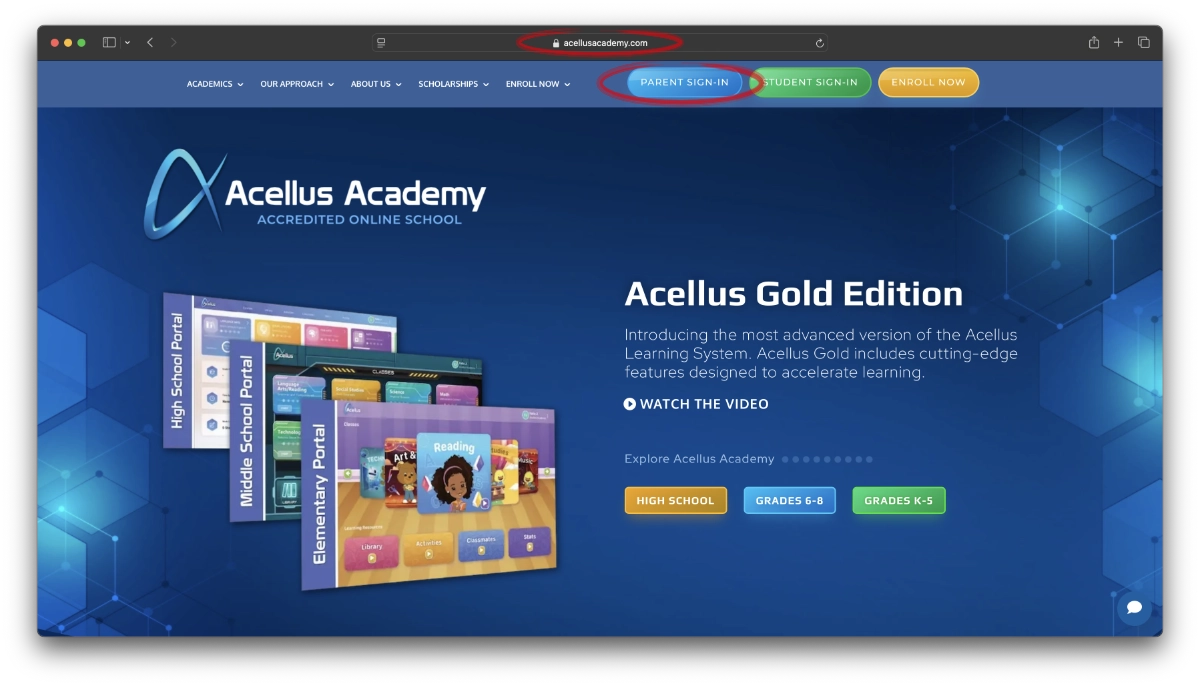
- Open the Acellus app on your device, or visit acellusacademy.com in a web browser.
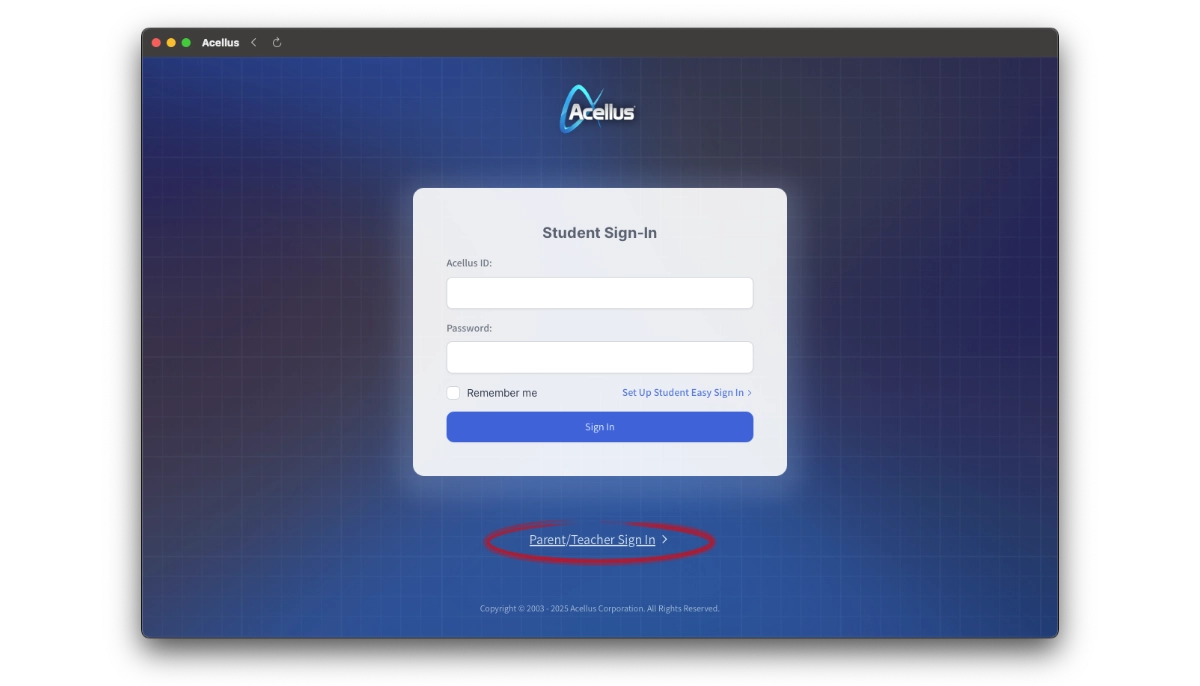
- Locate and select the “Parent Sign-In” option. This is found on the app’s main screen or the website’s homepage.
- Enter your parent username and password, then click “Sign In” to access your dashboard.
Step 2: Select Your Student
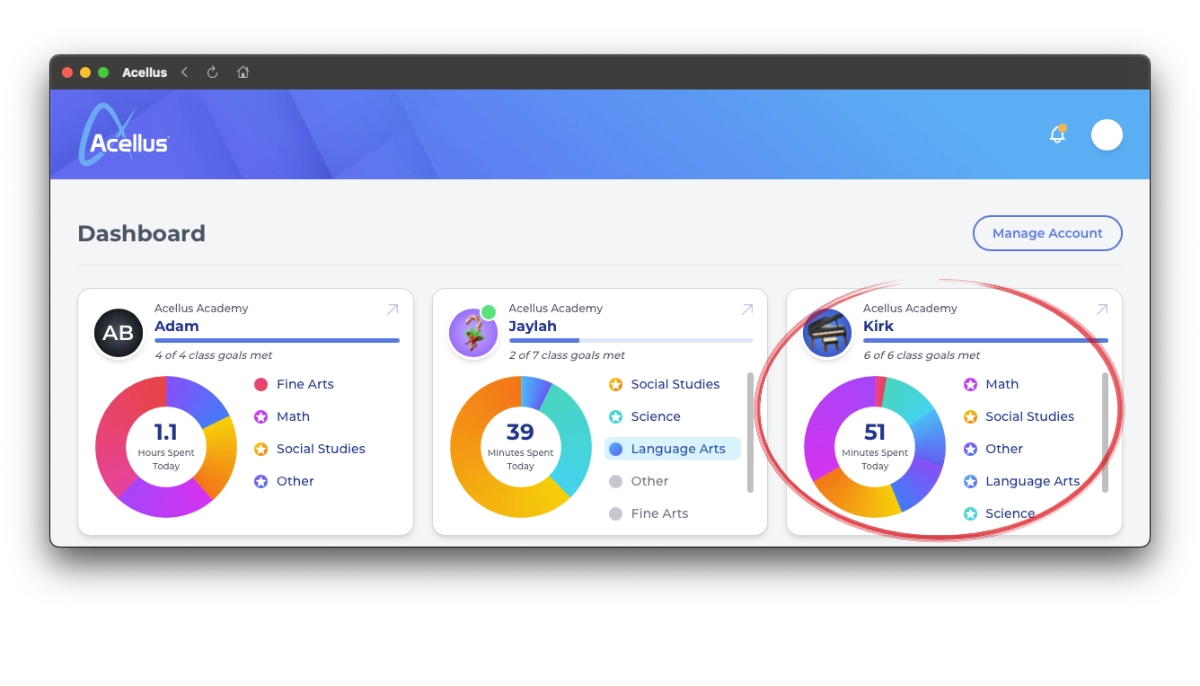
- Once logged in, you’ll see your parent dashboard. This displays a list of students associated with your account.
- Click on the name of the student whose Science Live activity you want to check.
Step 3: Navigate to the Learning Activities Report
- After selecting your student, look for the “Learning Activities” section. This may be on the main student overview page or within a menu (depending on your version of the Acellus interface).
- If it’s not immediately visible, check the sidebar or top navigation bar for an option like “Reports” or “Activities”, then select “Learning Activities”.
- Click on “Learning Activities” to open the report.
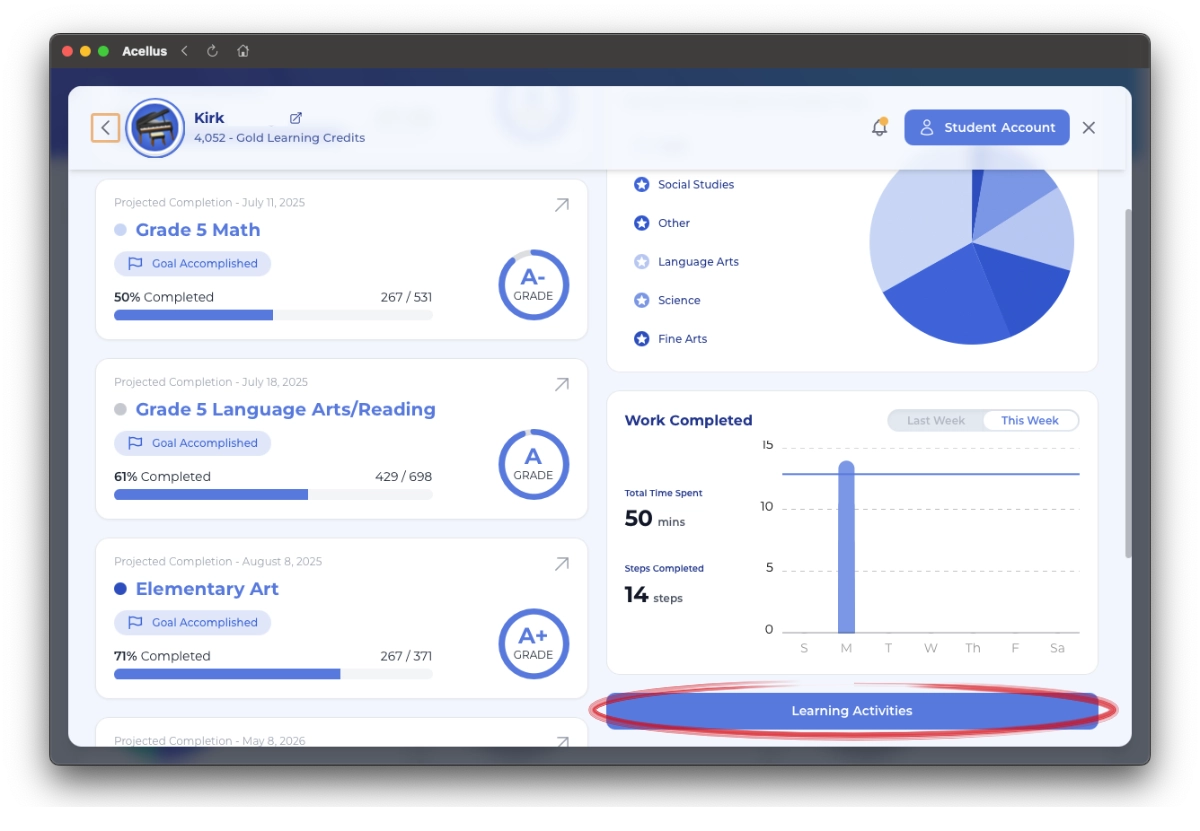
Step 4: Review Science Live Status
- In the “Learning Activities” report, you’ll see a list of activities your student has accessed or completed.
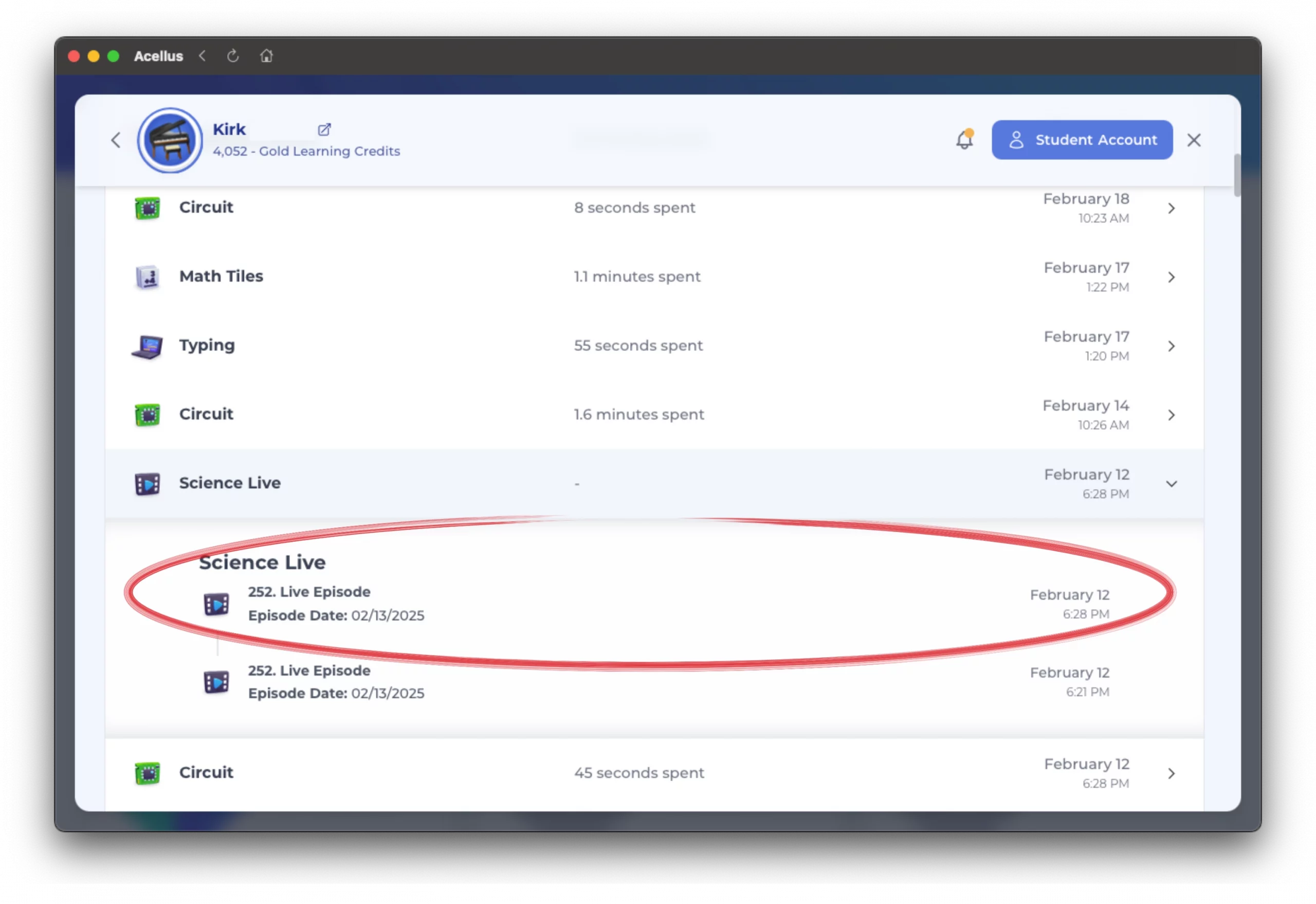
- Scroll through the list to find entries labeled “Science Live”. These entries will indicate specific episodes along with a date and time.
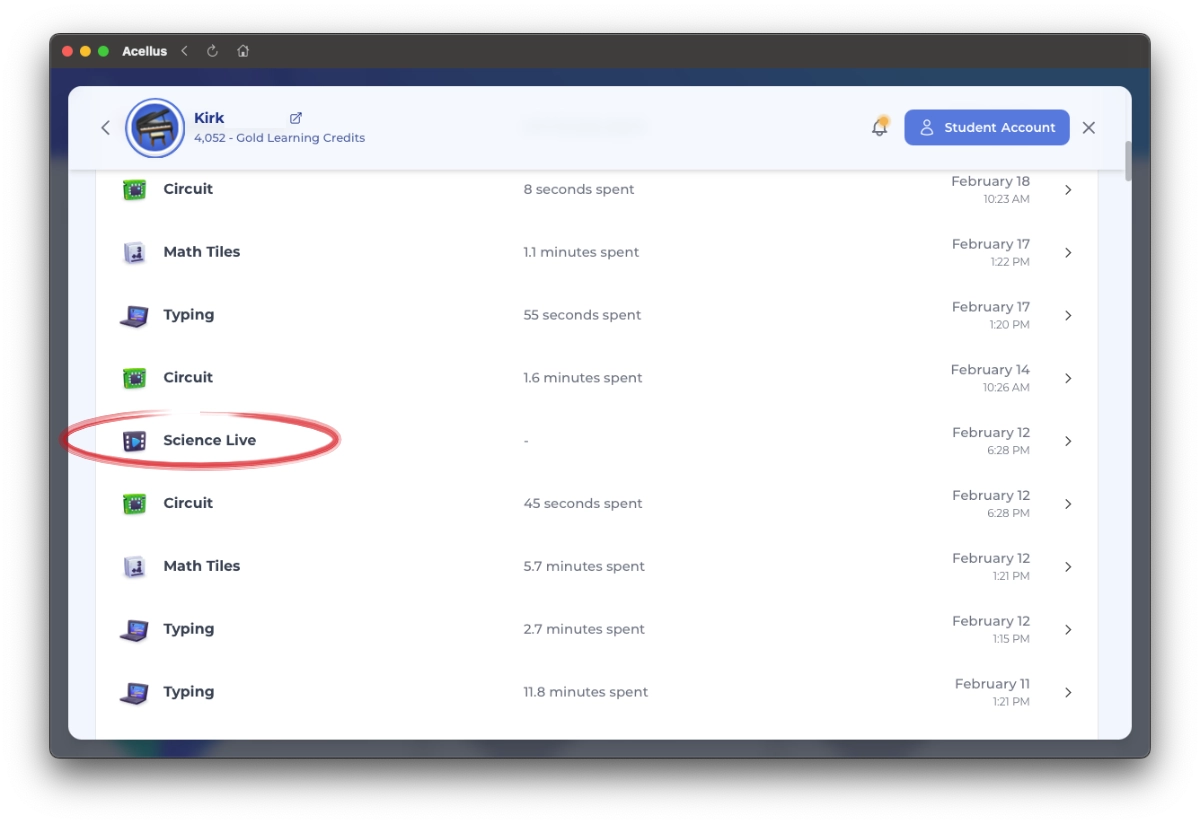
Step 5: Verify Details (Optional)
- For more information, such as the Episode name and date and time your student watched Science Live, click on the specific entry to expand the details. This display includes additional details like episode title and original air date.
Note: Science Live entries will not display “Time Spent”. Only a Date/Time will show for Science Live entries.